
Download Our Apps
Learn Anywhere, Anytime
Get the best learning experience with our dedicated mobile and desktop applications. Access all your courses, watch livestreams, and study offline.

Android App
For Android 7.0 and above
Download our Android app for the best mobile learning experience. Perfect for students who want to learn on-the-go with full offline capabilities.
Key Features:
- Works on phones and tablets
- Download courses for offline viewing
- Push notifications for new content
- Optimized battery usage
- Automatic sync when online
Windows App
For Windows 10/11
Download our Windows desktop application for a full-featured learning experience on your PC. Ideal for studying at home with a larger screen.
Key Features:
- Full desktop experience
- Multiple window support
- Keyboard shortcuts
- Offline course downloads
- HD video streaming
Or Use Our Web Platform
No download required - access everything from your browser
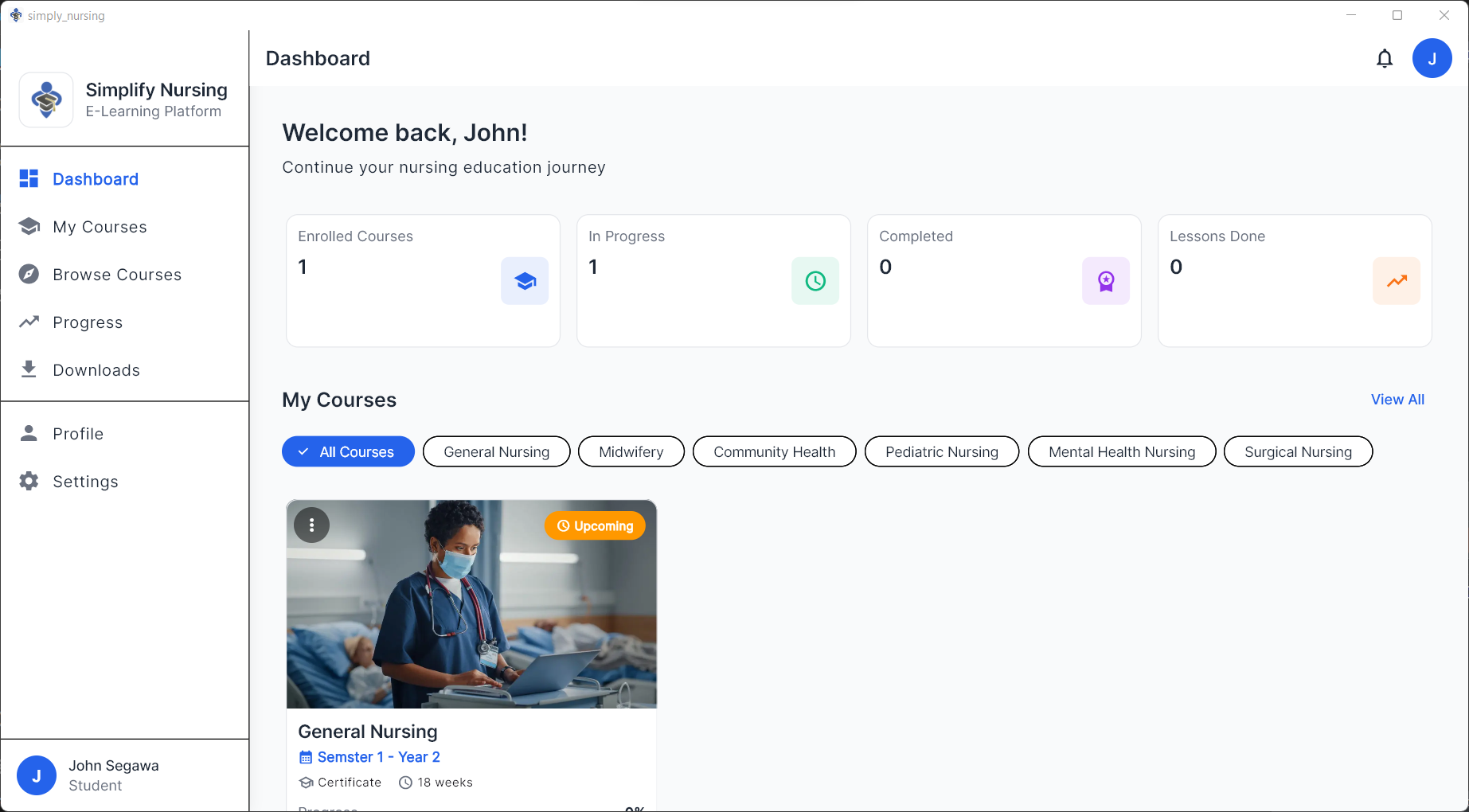
Full-Featured Web Access
Access Simplify Nursing directly from any web browser. No installation needed - just log in and start learning immediately.
App Screenshots
See what makes our mobile app the best choice for nursing students
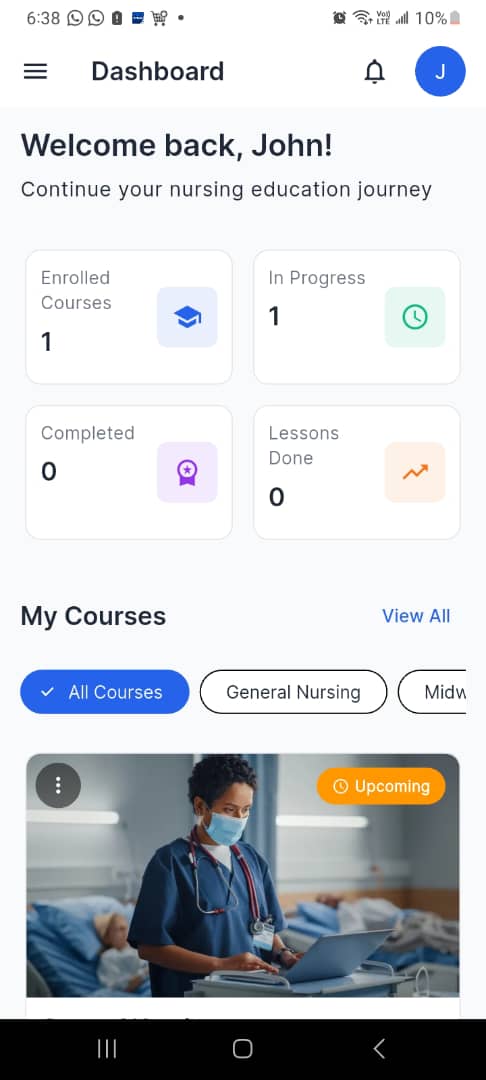
Dashboard
Track your progress at a glance
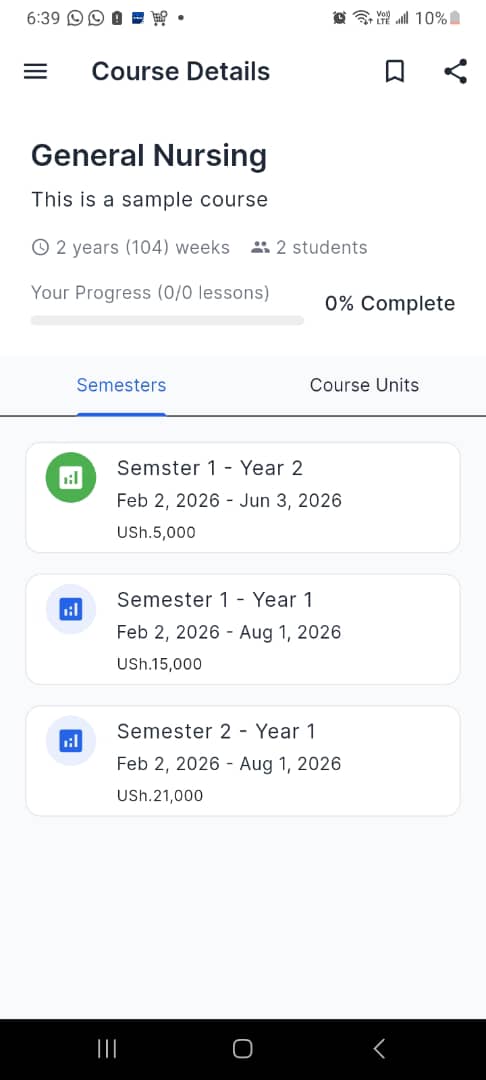
Course Details
Access all course information
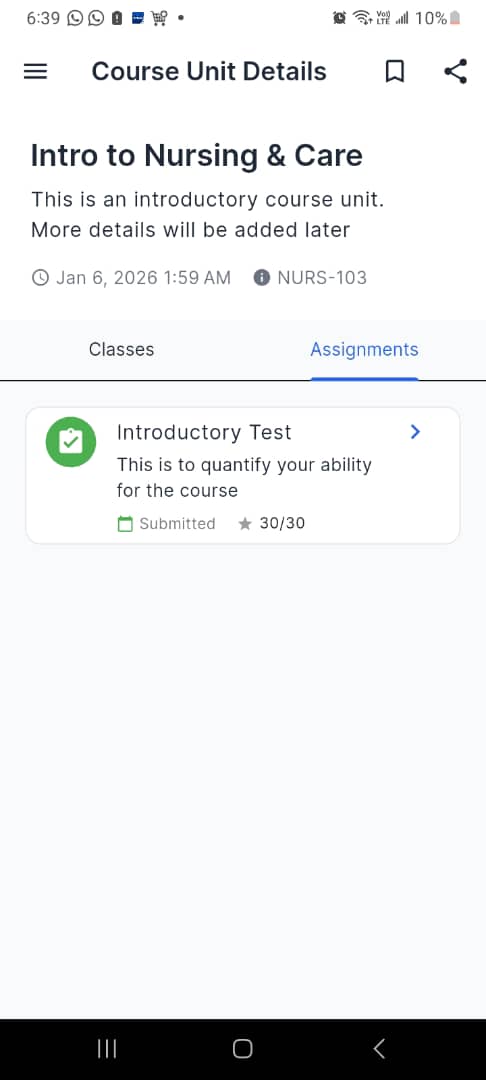
Assignments
Submit and track your work
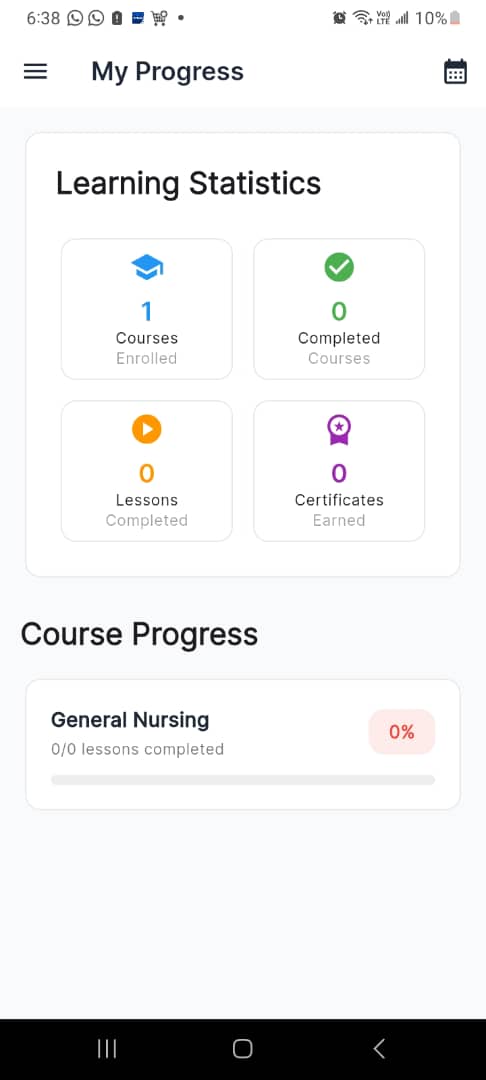
Progress Tracking
Monitor your achievements
System Requirements
Android Requirements
- OS: Android 7.0 (Nougat) or higher
- RAM: Minimum 2GB recommended
- Storage: 100MB for app + space for downloaded content
- Internet: Required for streaming; offline mode available
- Screen: Optimized for phones and tablets
Windows Requirements
- OS: Windows 10 or Windows 11
- RAM: Minimum 4GB recommended
- Storage: 200MB for app + space for downloaded content
- Internet: Required for streaming; offline mode available
- Display: 1280x720 minimum resolution
Need Help Installing?
Our support team is here to help you get started. Contact us if you have any questions about downloading or installing the apps.